RADARCHAT
ROLE
UI/UX, Visual Design
LOCATION
United states
TIMELINE
2023/2024
STATUS
Radar Chat simplifies social discovery in close environments.The product core is built around proximity, presence, and low-pressure connection.
What pulled me in wasn’t just the UX challenge, but how deeply it mirrored something I’ve felt. I’ve gone to events alone, open to meeting someone, but unsure how to begin.
An immediate scanning of an area or an event shows you active profiles ready to connect, removing the performance pressure typical of traditional social apps.
PROBLEM STATEMENT
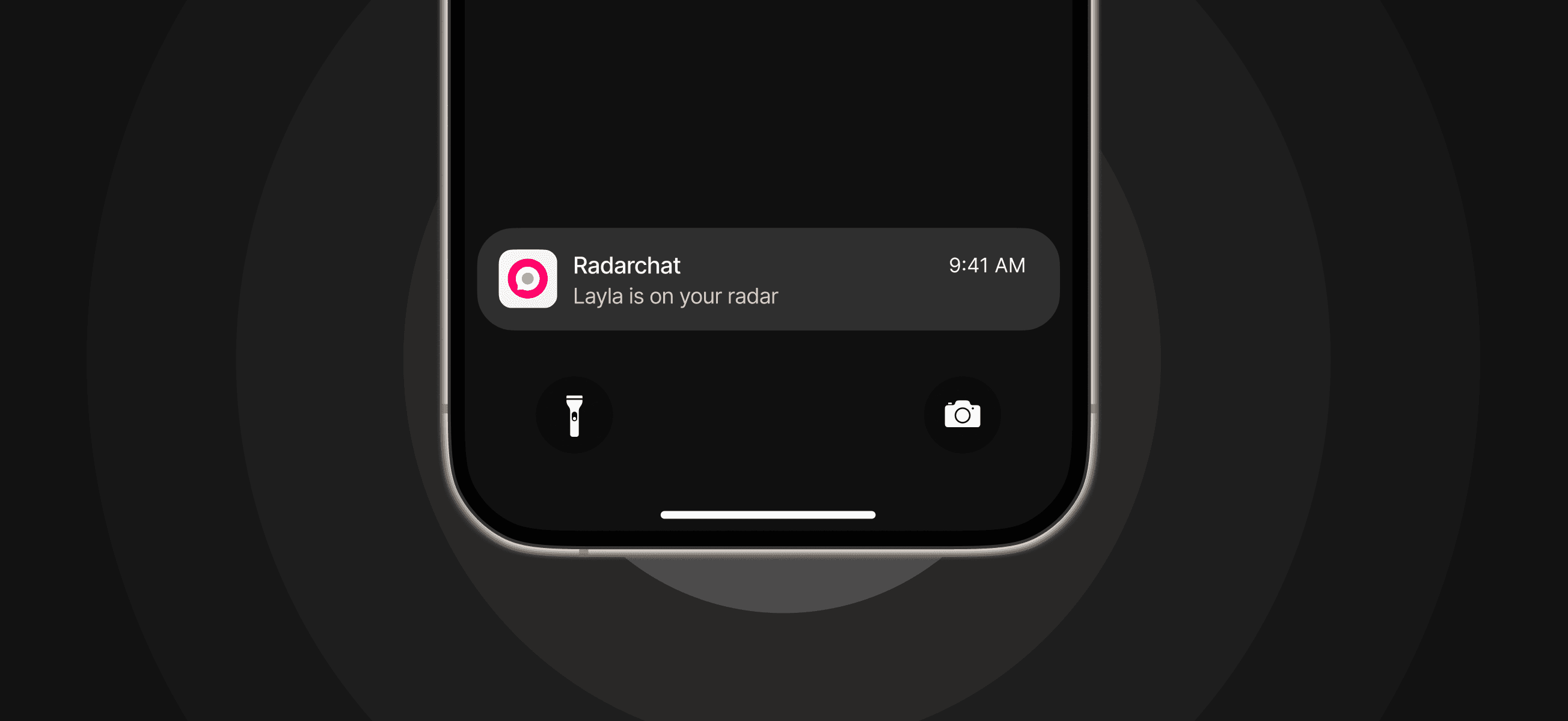
We wanted to give users a kind of digital wingman; a simple tool that helped them see who's available and open nearby, understand a little about them, and start a conversation without pressure.
No swiping. No long profiles. No performative bios. Just… people, in the same place, open to a chat.
WHAT WE DID
We started by grounding the experience in research.
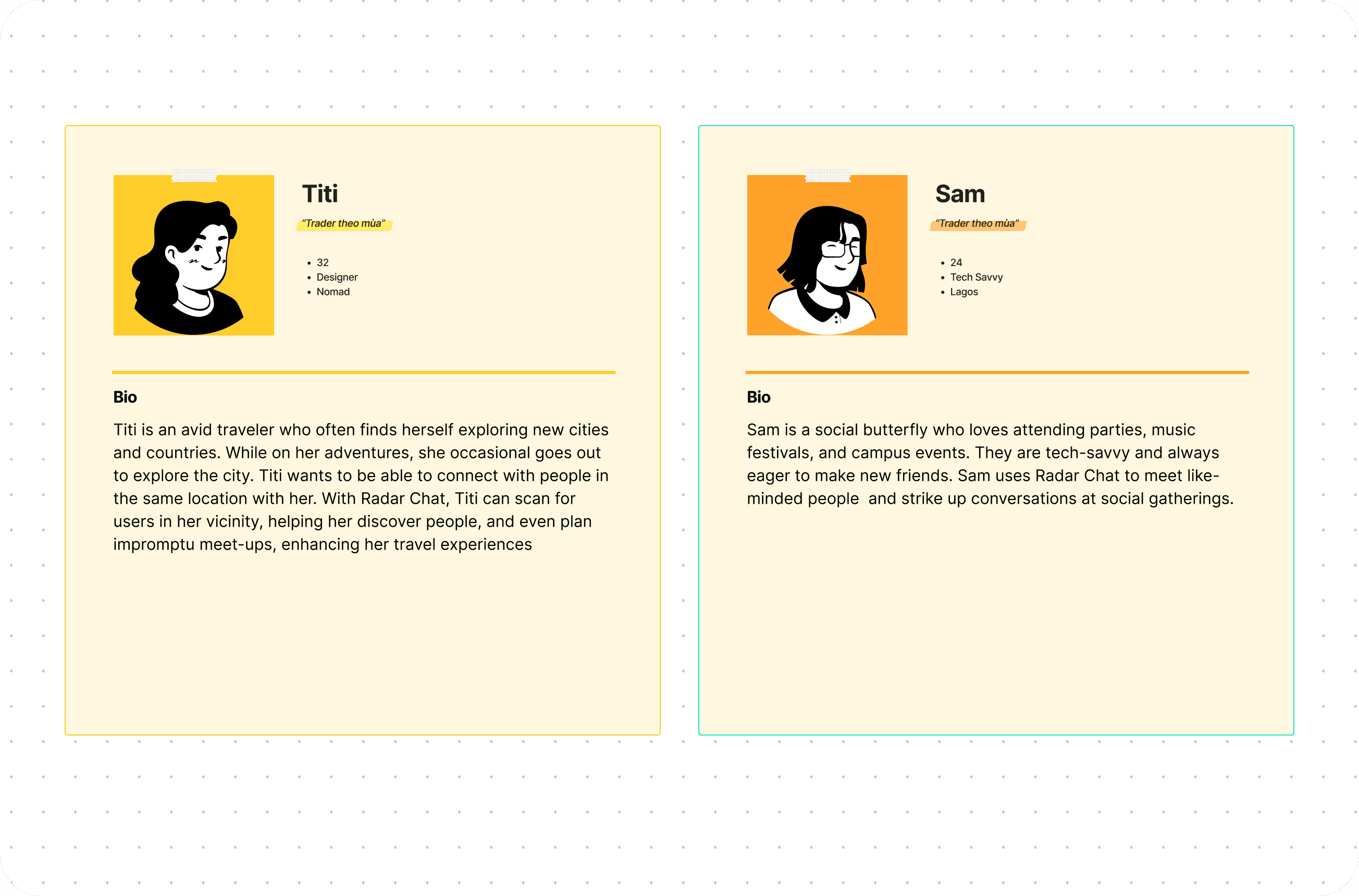
Before touching pixels, we mapped out key user personas to clarify who we were designing for and how they behaved
The goal wasn’t just to identify needs, but to understand contextual behaviors like when people are most open to connecting, what slows them down, and what makes them feel emotionally safe in a digital interaction.
These insights shaped everything from feature prioritization to tone of interface.
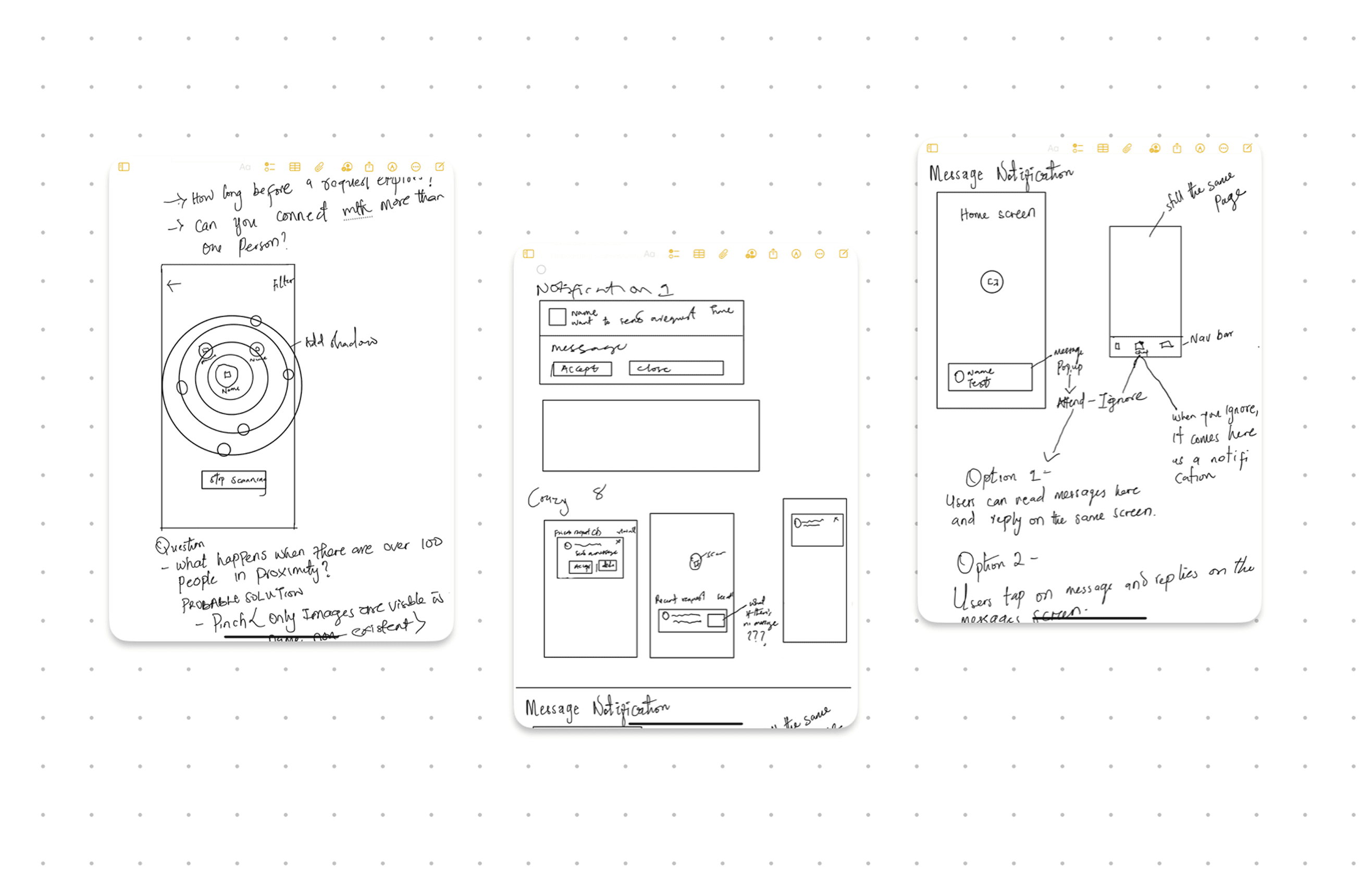
Once we had clarity on who we were building for, we moved straight into rapid wireframing.
We designed flows for the key journeys: scanning, discovering nearby users, sending message requests, onboarding, and setting up profiles. It was a cycle of design, test, iterate.
The experience is centered around a core user flow: Scan → Discover → connect → chat.
CREATING THE LOOK
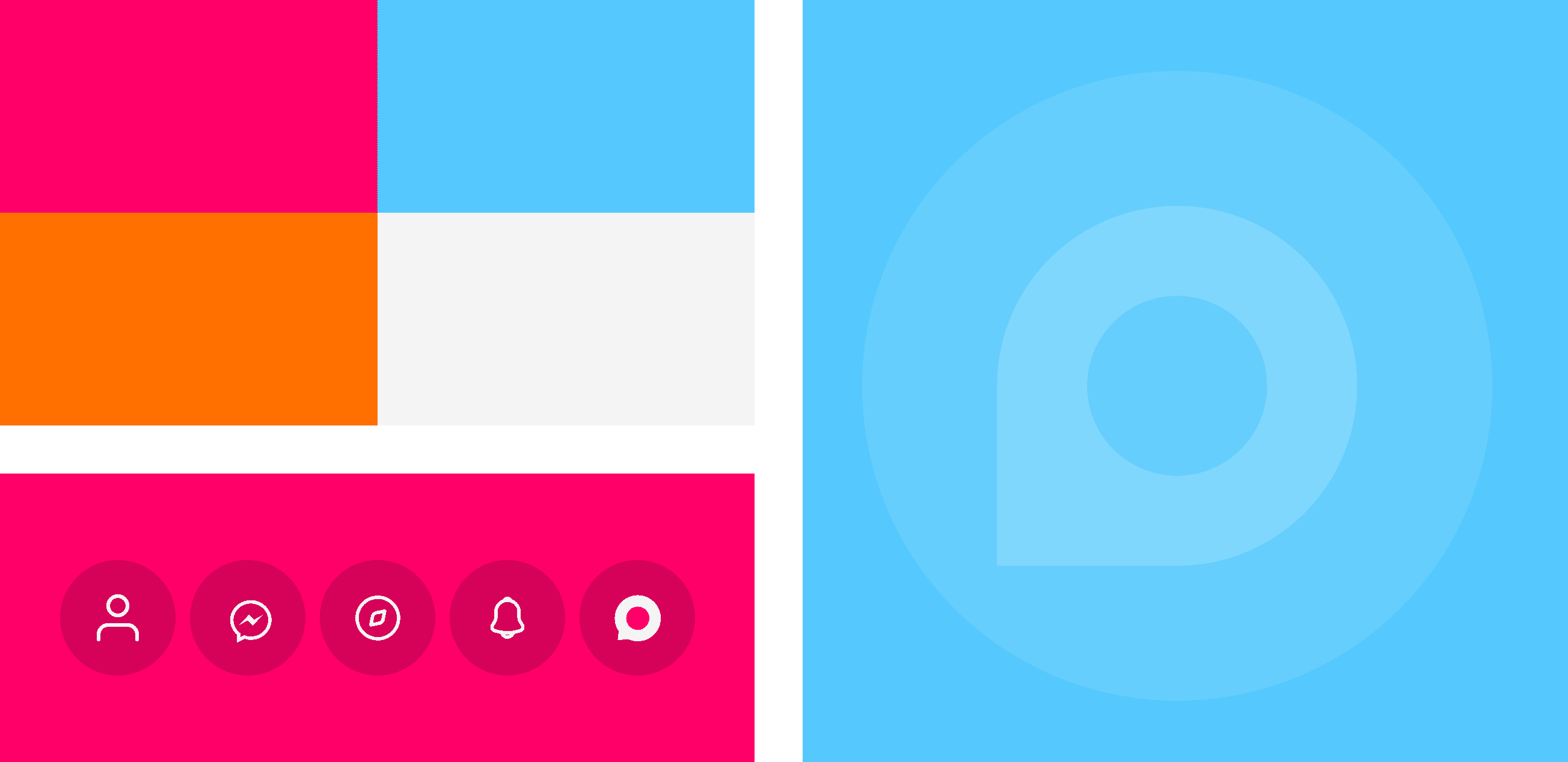
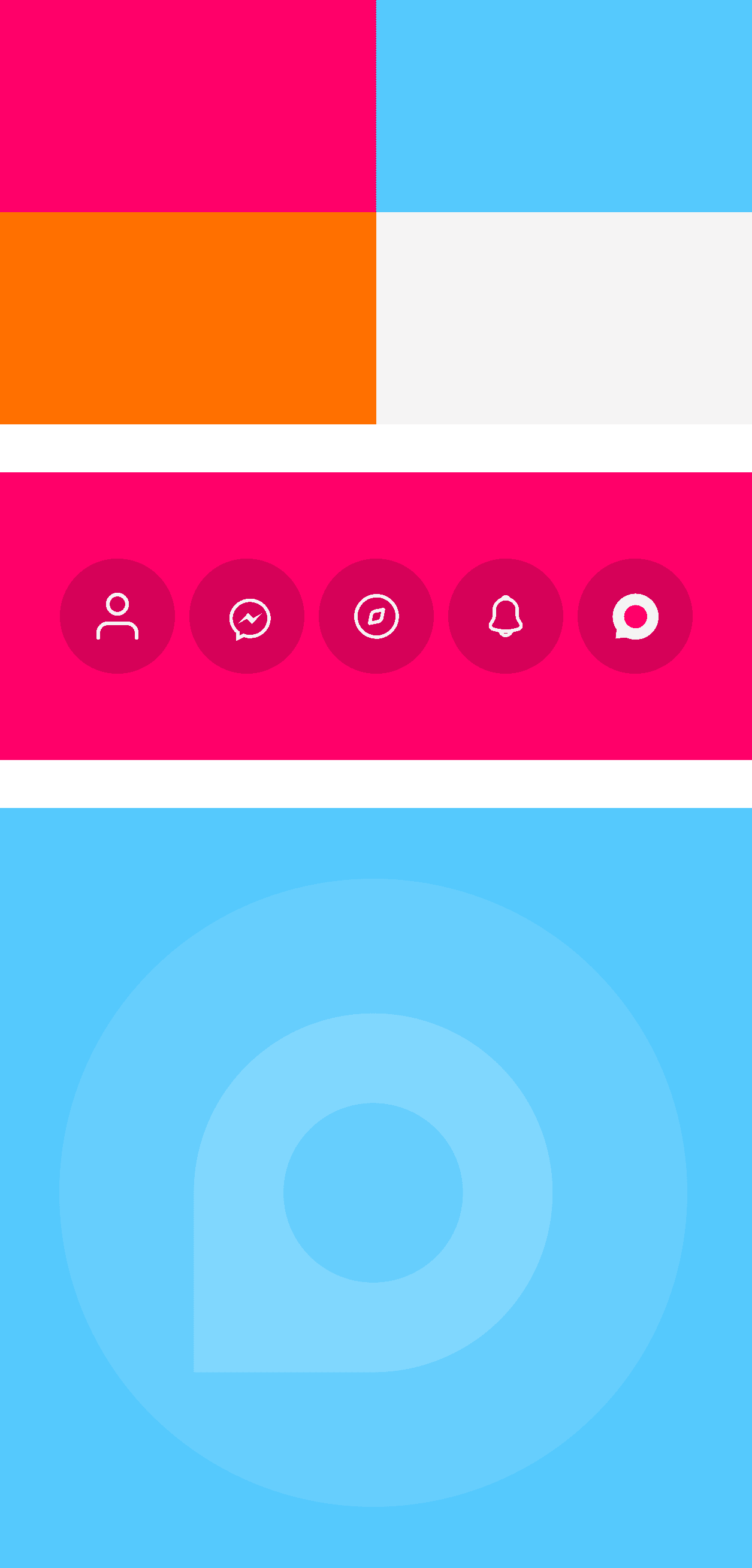
Radar Chat needed to feel light, fluid, and slightly playful but still intentional.
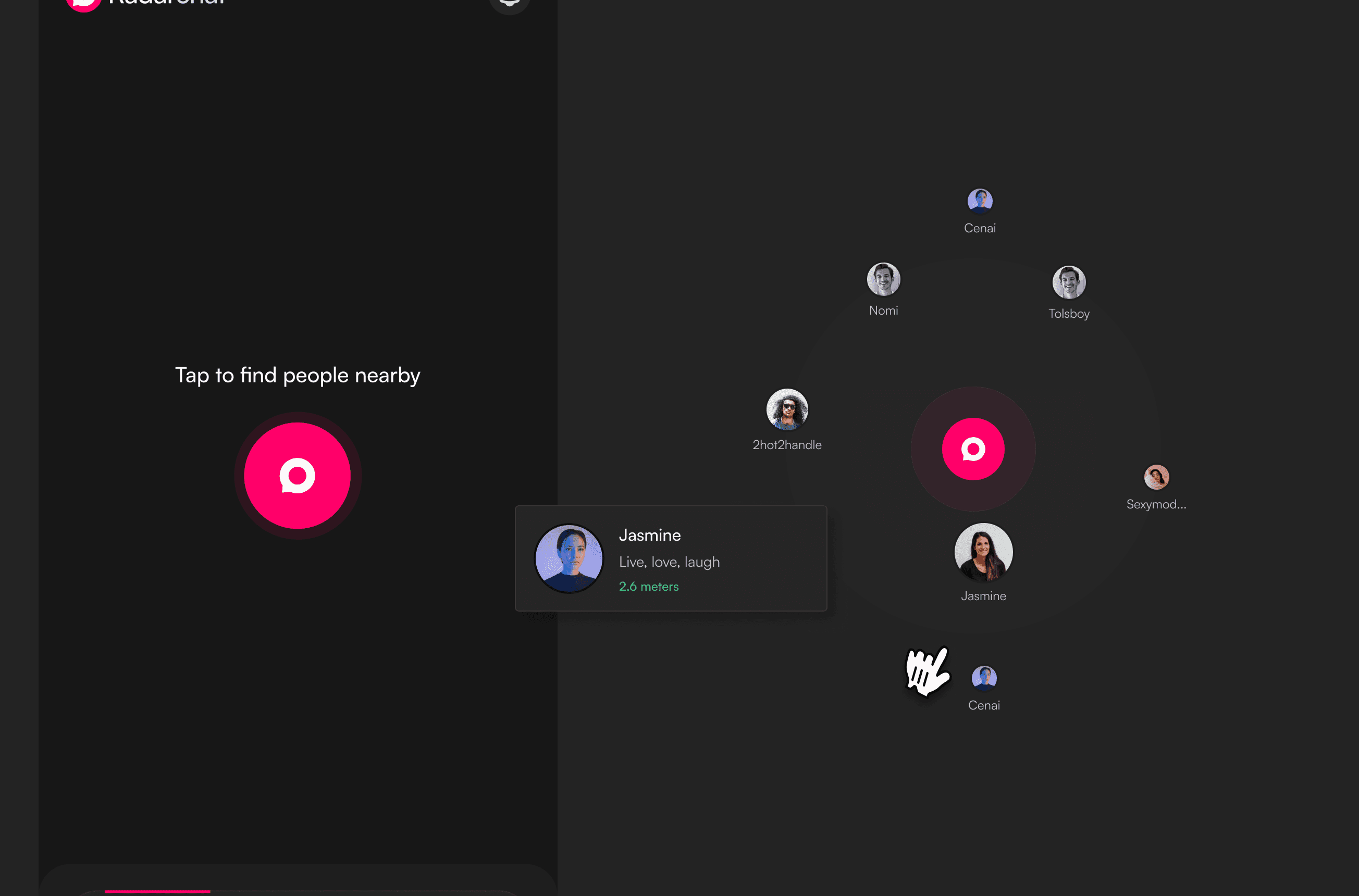
The scanning feature, for example, uses radiating cascading circles to echo the feeling of sending out a signal and catching one back visually reinforcing the concept of digital presence.
We avoided hard edges and sterile minimalism, opting instead for a design system that felt a little more human:
Rounded icons to mirror softness and approachability
Bold but breathable type for clear reading on the go
A slightly social app feel without leaning into clichés or dating app energy
HOW RADARCHAT WORKS
Scan to Discover
This was the heartbeat of the app, pun intended.
The idea was simple: tap to scan your space, and Radar Chat shows you who’s nearby and open to a conversation.
We visualized this with cascading circles a soft radar motion that signals something is happening, without being too loud or aggressive. It mimics that natural human curiosity: “Who else is here right now?”
Design decision: Minimal copy, large touch targets, and a clean, breathable interface to make the action feel light and ambient.
Profile Results + Connection Requests
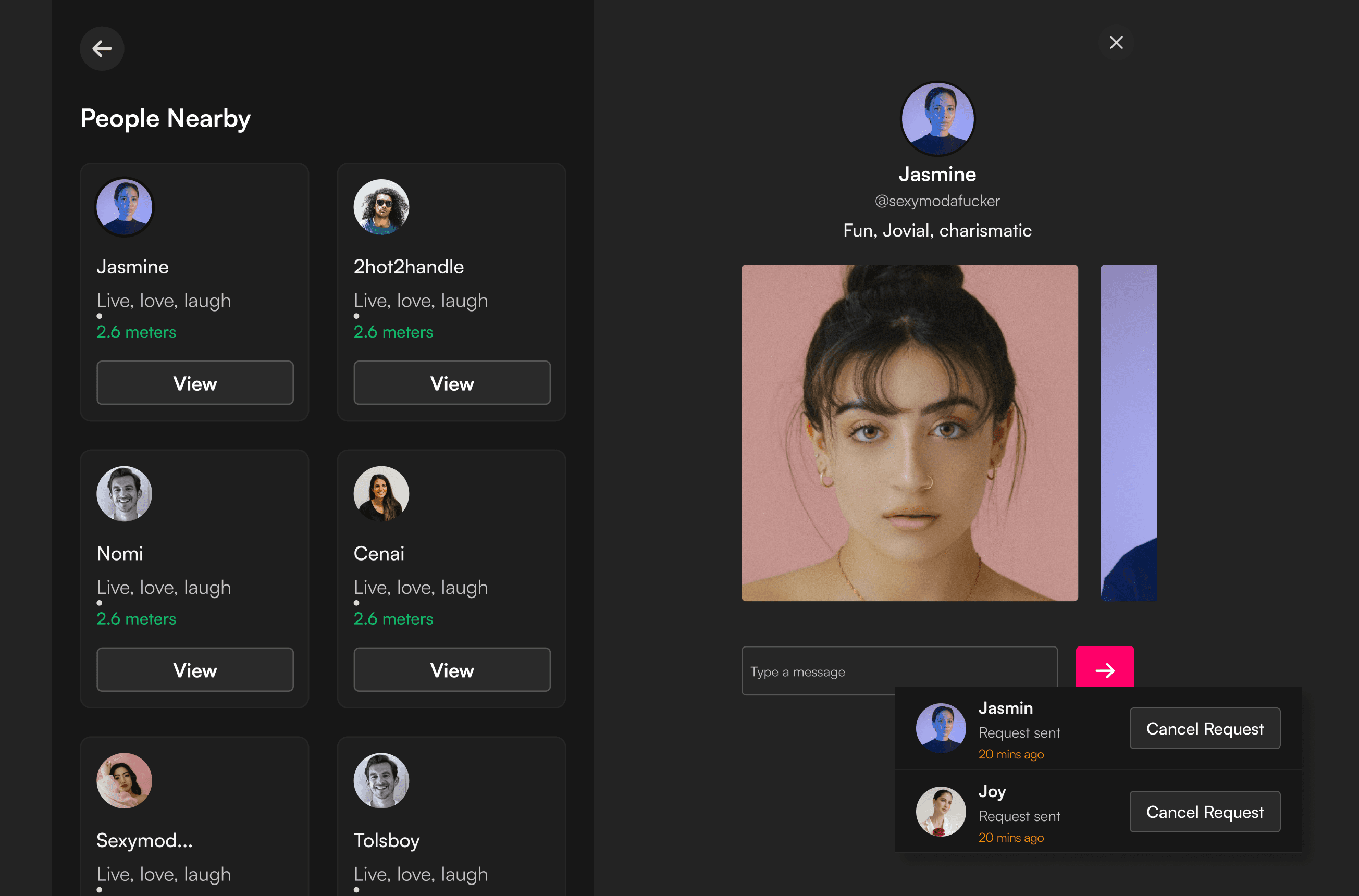
Once the scan finishes, users get a list of active profiles in range. From here, they can choose to view a profile and send a connection request with the option to add a message.
For the users, this meant control without pressure. You can reach out directly, say hi, or let the other person decide whether to engage.
We intentionally kept the profile cards short and clear; username, maybe a line or two of personality. Enough to get a sense of someone, not enough to judge.
Design decision: An optional message field with each request made the interaction feel more thoughtful, but never required which meant users can connect with as little or as much effort as they’re comfortable with.
Direct messaging
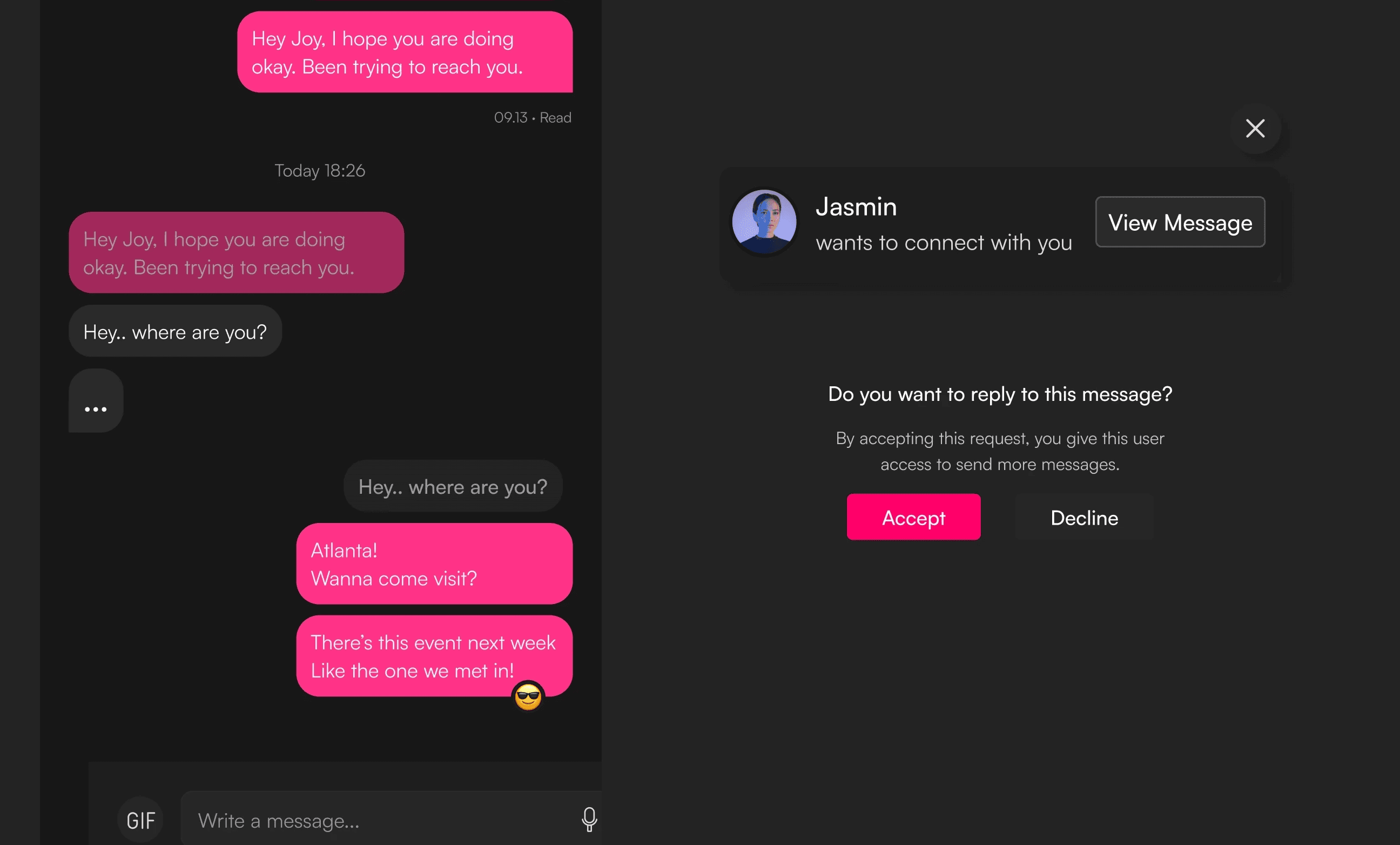
Once a request is accepted, the conversation opens up in a messaging interface with support for GIFs, emojis, and light tone indicators to keep chats expressive and interactive.
I didn’t want the messages to feel stiff or transactional. The point of Radar Chat was to keep things human, and giving people more ways to express themselves early on helped reduce the awkwardness of first conversations.
Design decision: Simple, familiar layout with intuitive affordances. We kept message input sticky and added visual cues for message status (read, sent, received), so nothing felt ambiguous.
Customizable profile
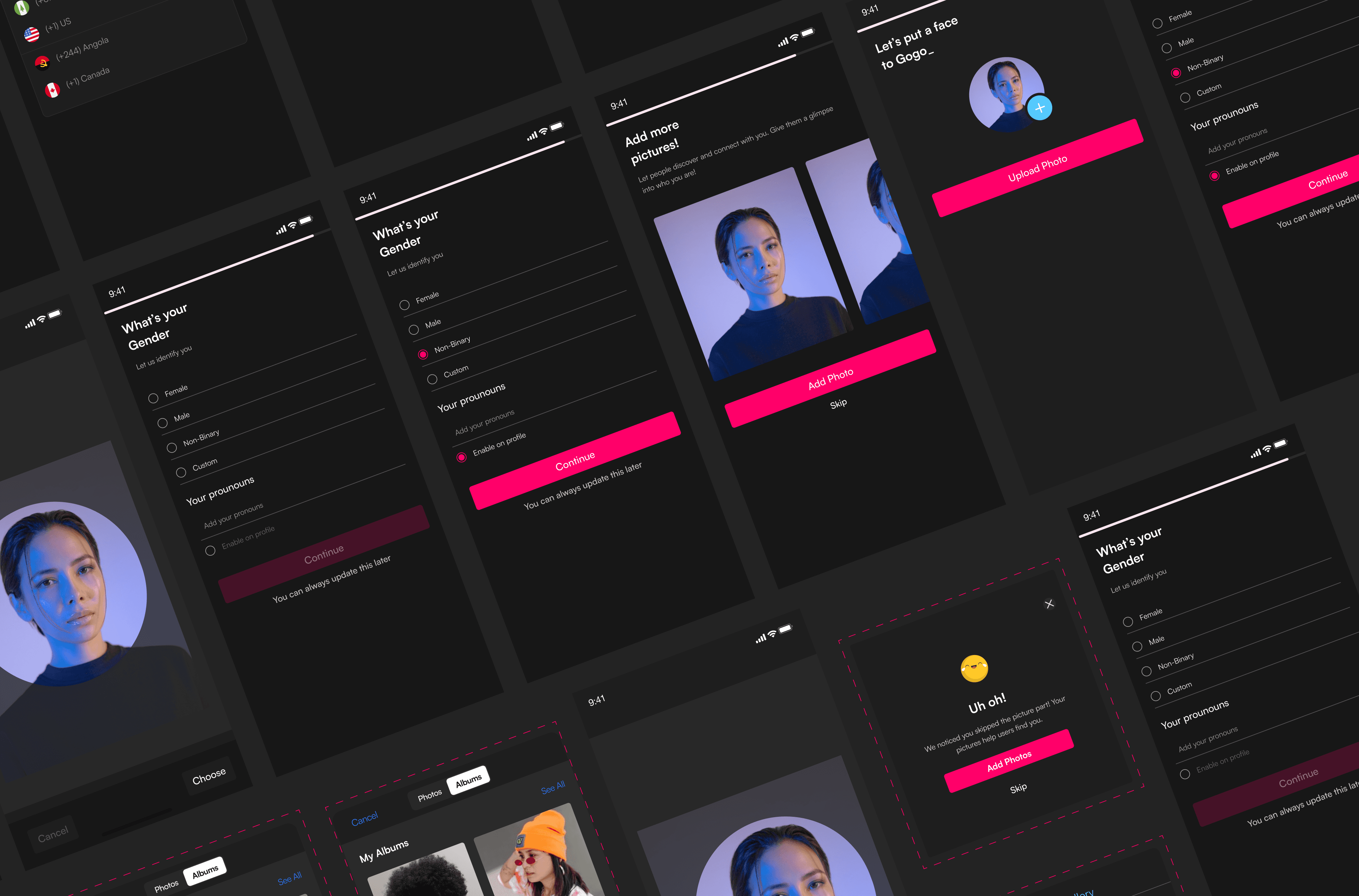
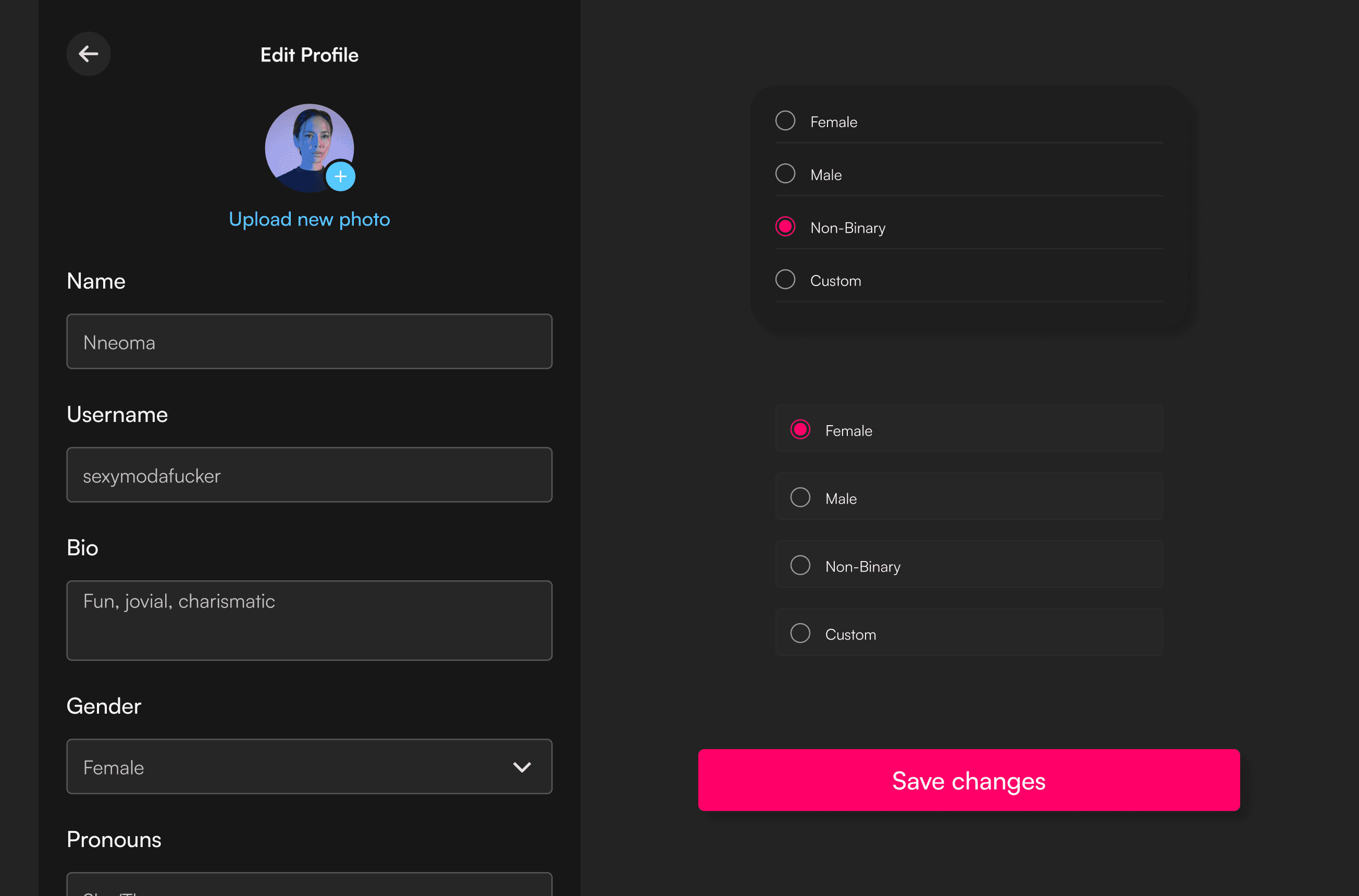
From the start, we wanted people to feel seen and respected in how they present themselves. So we built in gender and pronoun customization, optional photo uploads, and short bios.
No one was forced to overshare but if you wanted to express who you were, you could do it in a way that felt real. The onboarding flow gently guided users through this without turning it into a form-filling session.
Design decision: We focused on soft prompts and optional steps, allowing flexibility while still encouraging enough profile setup to support trust and visibility. The tone stayed friendly, not corporate.
TAKEAWAYS
On a personal level, this project helped me Strengthen my ability to design iteratively, Pay more attention to the “quiet” UX decisions like settings, onboarding, and edge flows that build real trust and to Blend emotion and system thinking in one space. Designing not just for users, but for their behavior, their hesitations, and their moments.